
Notes
Press record. Get the meeting itemized.
Press record, or type a quick note. Your notes stay on your device.
The problem
Good notes take attention you'd rather give the meeting, the call or the lecture.
What Notes does
Notes turns a meeting, call, lecture or voice memo into an organised note, on the phone you already have. No gadget to buy.
Made for
- Team meetings and 1:1s
- Client and sales calls (imported from your phone's own call recording)
- Lectures and classes
- Voice memos and personal notes
A typed note keeps your words. It does not invent action items.
Key features
Transcript with timestamps
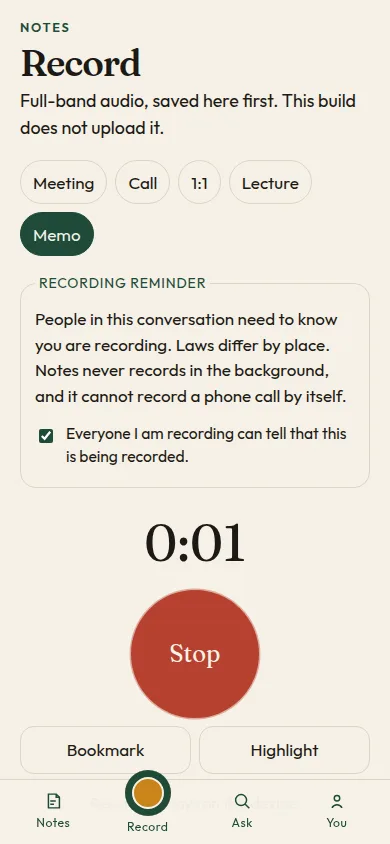
Record, upload a recording, or type a quick note.
Summary and action items
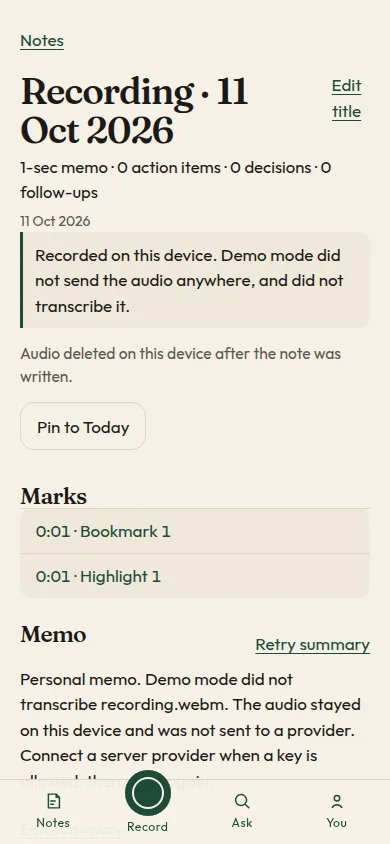
Key points, action items, decisions and follow-ups.
Templates
Meeting, call, 1:1, lecture or personal memo.
Ask your notes
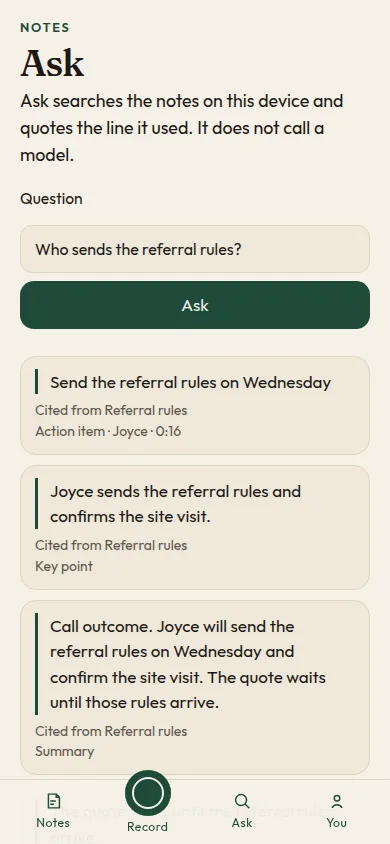
Every answer quotes the line it used.
Export and back up
Markdown, HTML, a text PDF or a ticket list.
Private by default
Notes stay on your device. Raw audio is deleted once the note is written.
How it works
- 1
Record, upload, or type a quick note.
- 2
Pick a template.
- 3
Get the summary, action items and decisions.
Platform and status
- Web app: live (v0.5.0)
- Sign in with Apple, Google or email, or skip
- iPhone: App Store listing drafted; TestFlight not open yet
Be in the meeting. Notes takes the notes.